
It was parent-teacher conference night at my middle school, and the school hallways were buzzing with the familiar sounds of conversations, shuffling papers, and the occasional squeak of sneakers on the polished floor. I”d prepared thoroughly for the evening—progress reports organized using my Notion databases, had links to student work samples ready, and I was looking forward to meeting dozens of parents. As an educator, these nights are crucial opportunities to connect with families and discuss their children’s growth.
About halfway through the evening, a family approached my table with warm smiles. The parents were eager to discuss their daughter’s progress, but within moments, it became clear we had a significant problem: we didn’t share a common language. They spoke Spanish fluently, while my Spanish was limited to basic classroom phrases I’d picked up over the years. Their daughter, who might have served as a translator, wasn’t with them.
I felt a wave of frustration—not at the family, but at the situation. Here were engaged parents who had taken time from their evening to attend conferences, and I couldn’t effectively communicate with them about their daughter’s academic journey. I tried gesturing, pulling up translation apps on my phone with awkward pauses between each typed phrase, and even sketching simple diagrams to explain concepts. I also tried to use Google Translate or even using a Google Doc with its translation features to support the conversation. Unfortunately, this wasn’t working and we needed to come up with a plan B, C, and D to support the family. The conversation that should have taken ten minutes stretched to 20 minutes, and even then, I wasn’t confident we’d fully understood each other.
That night reinforced a reality many educators face: language barriers don’t just affect our students—they impact our ability to build partnerships with families. In increasingly diverse school communities, this challenge is growing, not shrinking. We need parent-teacher conferences that are productive, communications that are clear, and families who feel genuinely welcomed and understood.
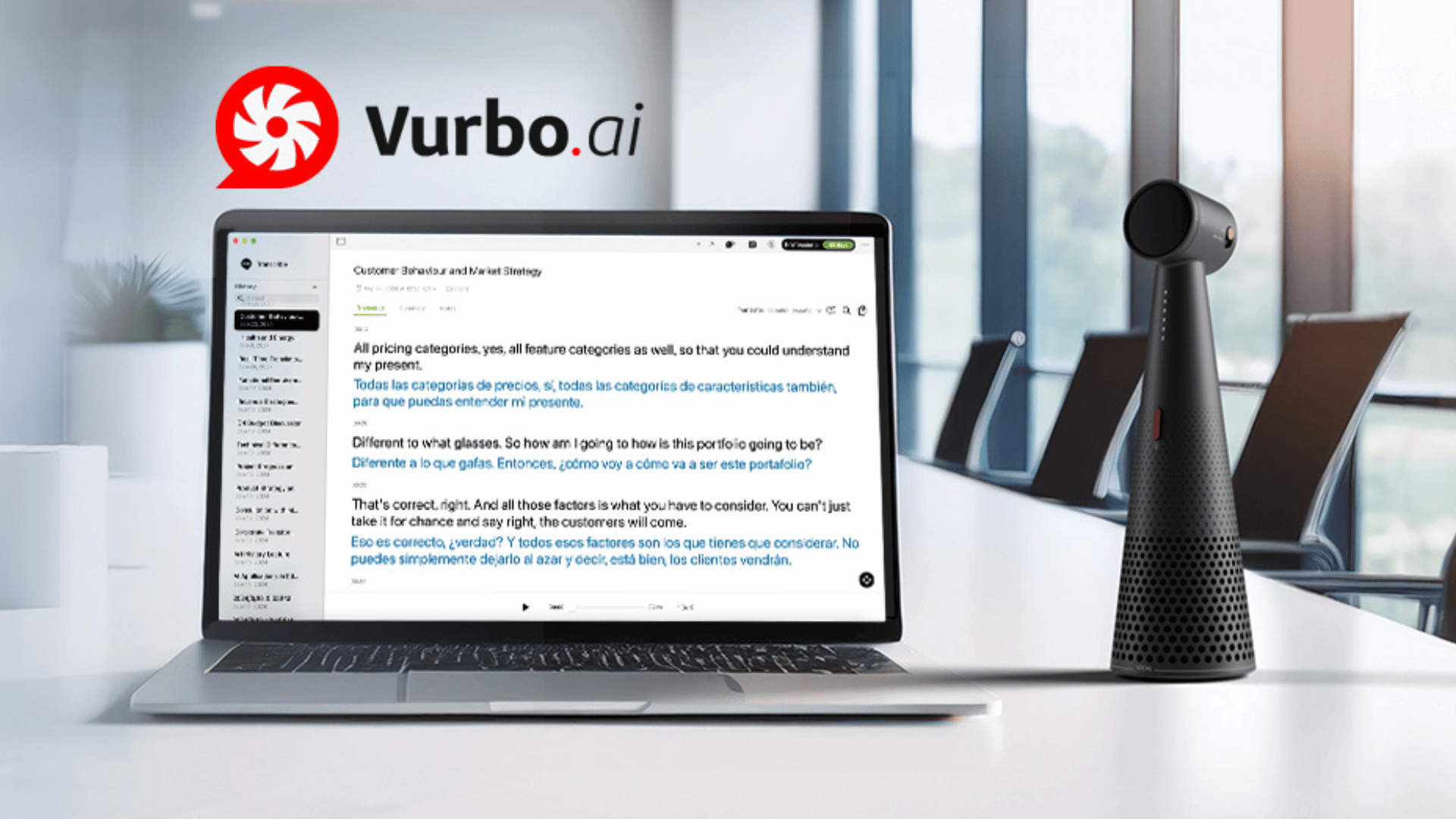
What if there was a tool that could bridge this gap in real-time, without the awkward delays of typing into translation apps or the expense of hiring interpreters for every conference night? That’s exactly what Vurbo.ai promises to deliver for educators facing the same challenges I experienced that evening.
Disclosure: This review was sponsored by Vurbo. However, the company did not have any effect on my opinion of the product, my testing process, nor did the company persuade me to write this review favorably. All opinions and observations shared in this post are my own based on my genuine experience with the platform. This is Part 1 of a 3-part series on Vurbo.ai for educators.
Vurbo.ai is an award-winning real-time translation platform developed by IPEVO, a company with an established reputation in educational technology. The platform has received recognition including the Best of Show Award at InfoComm 2024 and the CES TWICE PICKS AWARDS at CES 2025, highlighting its innovation in multilingual communication.
Designed specifically to address the communication challenges facing modern educators, Vurbo uses advanced artificial intelligence to provide instant speech translation across 100+ languages, including Spanish, Mandarin, French, German, Japanese, Korean, Portuguese, and many more. Unlike traditional translation tools that require typing and create awkward pauses in conversation, Vurbo enables natural, flowing dialogue between speakers of different languages—making it particularly valuable for parent-teacher conferences, IEP meetings, and other critical interactions where clear communication is essential.
What sets Vurbo apart for educational settings is its intentional design for ease of use in busy school environments. The platform features an intuitive interface that requires minimal training, allowing teachers to focus on meaningful conversations rather than wrestling with complicated technology.
Transforming Parent-Teacher Conferences
Parent-teacher conferences are critical touchpoints for building partnerships with families, yet language barriers often prevent meaningful dialogue. With Vurbo, educators can conduct natural, flowing conversations with multilingual families without the delays of traditional translation apps or the expense of hiring interpreters for every conference night.
The platform allows you to discuss student progress, academic concerns, and behavioral observations in real-time across 100+ languages. Beyond conferences, you can use Vurbo for phone calls home, virtual parent meetings, and even informal check-ins that help build stronger relationships with families who might otherwise feel disconnected from their child’s education due to language differences.
Works on Whatever Device You Have
One of Vurbo’s most practical features for classroom teachers is its cross-device compatibility. The platform works seamlessly on Chromebooks, iOS devices, and Windows devices, making it accessible whether your school primarily uses Google Workspace, Apple devices, or Microsoft Windows. This flexibility means you can use Vurbo on whatever device you have available—from classroom Chromebooks to personal iPhones to Windows laptops—without worrying about compatibility issues.
To explore specific pricing tiers and request a customized quote for your district’s needs, visit the Vurbo pricing page. The Vurbo team also offers demonstrations and pilot programs for districts interested in testing the platform before committing to a full deployment.
Evaluating ROI
When evaluating the cost, consider the time saved in translation services, the improved communication with families, and the enhanced learning experience for multilingual students. Many districts find that Vurbo quickly pays for itself through increased efficiency and better educational outcomes.
How to set up Vurbo.ai in 30 seconds:
- Open the Vurbo.ai software.
- Click “Voice Recording” to start,
- or use a Preset you’ve customized in advance.
- Select your desired language(s).
- Choose 1 language for transcription only (one-way translation can be enabled during recording).
- Choose 2 languages for bidirectional translation.
(Feel free to adjust settings as needed)
- Click Start and start talking —Vurbo translates live!
- Use features such as Floating Subtitles and Cloud Translation as needed.
How to set up Vurbo.ai in 30 seconds:
What I Liked
After testing Vurbo in my classroom and during parent conferences, here’s what stood out:
The real-time translation is genuinely impressive. Unlike traditional translation apps that create awkward pauses while you type, Vurbo enables natural conversational flow. The AI translation quality is strong enough for authentic parent-teacher conversations.
It’s actually easy to use. I was able to start using it effectively with minimal training, which is crucial when you’re juggling conference night prep. The interface is intuitive and doesn’t require extensive setup time.
100+ languages covers most needs. The breadth of language support means this one tool can handle most multilingual families in diverse school communities.
What You Should Know Before Trying It
The free plan has real limitations. Usage is limited to 300 minutes per month, with each session capped at 30 minutes. This means a single busy parent-teacher conference night could consume a significant portion of your monthly allocation. If you need longer continuous sessions, you’ll either need to upgrade to a paid plan or purchase compatible IPEVO hardware, which removes the 30-minute session restriction.
You need reliable internet. The platform’s effectiveness depends on a good internet connection, which can be challenging during outdoor school events or in areas with bandwidth constraints.
It’s not a replacement for multilingual staff. Like any technology solution, Vurbo works best as a complement to—not a replacement for—building genuine multilingual capacity within schools through hiring bilingual staff and providing language learning opportunities for educators. Even though I have been testing out Vurbo in my classroom, it should not and will not replace the relationships I am building with the students’ MLL teachers nor the help they are able to provide the students when they are not in my classroom.
My Bottom Line for Teachers
For individual teachers struggling with language barriers during parent communication, Vurbo offers a practical solution that can transform those frustrating interactions into meaningful connections. While the free plan’s limitations mean you’ll need to be strategic about when you use it, the platform delivers on its promise of enabling natural, real-time conversations across language barriers.
If you regularly work with multilingual families and find yourself struggling with traditional translation tools during conferences or parent communications, Vurbo is worth trying. Start with the free plan to test it during a few parent conferences, and if it works for your needs, consider advocating for a district-level implementation that removes the session restrictions.
Try It Yourself
Ready to break down language barriers in your parent communications?
Coming next in this series:
- Part 2: Supporting English Language Learners with Real-Time AI Translation (for classroom teachers working with ELL students)
- Part 3: Vurbo for School Districts – Features, Pricing, and Implementation (for administrators and decision-makers)
Upgrade Your Teaching Toolkit Today
Get weekly EdTech tips, tool tutorials, and podcast highlights delivered to your inbox. Plus, receive a free chapter from my book Impact Standards when you join.
Like this:
Loading…
Discover more from TeacherCast Educational Network | Developing Standards-Based Instructional Technology Integration
Subscribe to get the latest posts sent to your email.
