
As a middle school teacher, I”ve watched too many English language learners sit quietly during class discussions, their hands never raised, their voices never heard. It’s not because they lack ideas or understanding—it’s because the language barrier creates an invisible wall between them and grade-level content. They’re simultaneously trying to master complex academic concepts while learning English, and that dual challenge often means they fall behind despite their intelligence and effort.
I’ve tried countless strategies over the years: peer translation buddies, visual aids, simplified vocabulary sheets, pre-translated materials. Each helps, but none solved the fundamental problem: how do you provide immediate language support during the flow of instruction without constantly pausing the lesson or pulling students aside? How do you ensure ELL students can access rigorous academic content in real-time, not hours later after someone has translated the materials?
What if students in your classroom could get instant translation support allowing them to stay engaged with complex content as it’s being taught? That’s the promise of Vurbo.ai for classroom teachers working with English language learners.
Disclosure: This review was sponsored by Vurbo. However, the company did not have any effect on my opinion of the product, my testing process, nor did the company persuade me to write this review favorably. All opinions and observations shared in this post are my own based on my genuine experience with the platform. This is Part 2 of a 3-part series on Vurbo.ai for educators.
Vurbo.ai is an award-winning real-time translation platform developed by IPEVO, designed specifically for educational settings. The platform has received recognition including the Best of Show Award at InfoComm 2024 and the CES TWICE PICKS AWARDS at CES 2025.
What makes it particularly powerful for ELL support is its ability to provide instant speech translation across 100+ languages—including Spanish, Mandarin, French, German, Japanese, Korean, Portuguese, Arabic, Vietnamese, Tagalog, and many more. Unlike traditional translation apps that require typing and create delays, Vurbo enables real-time dialogue, making it practical for use during live instruction.
Three Ways to Use Vurbo with English Language Learners
1. Real-Time Support During Whole-Group Instruction
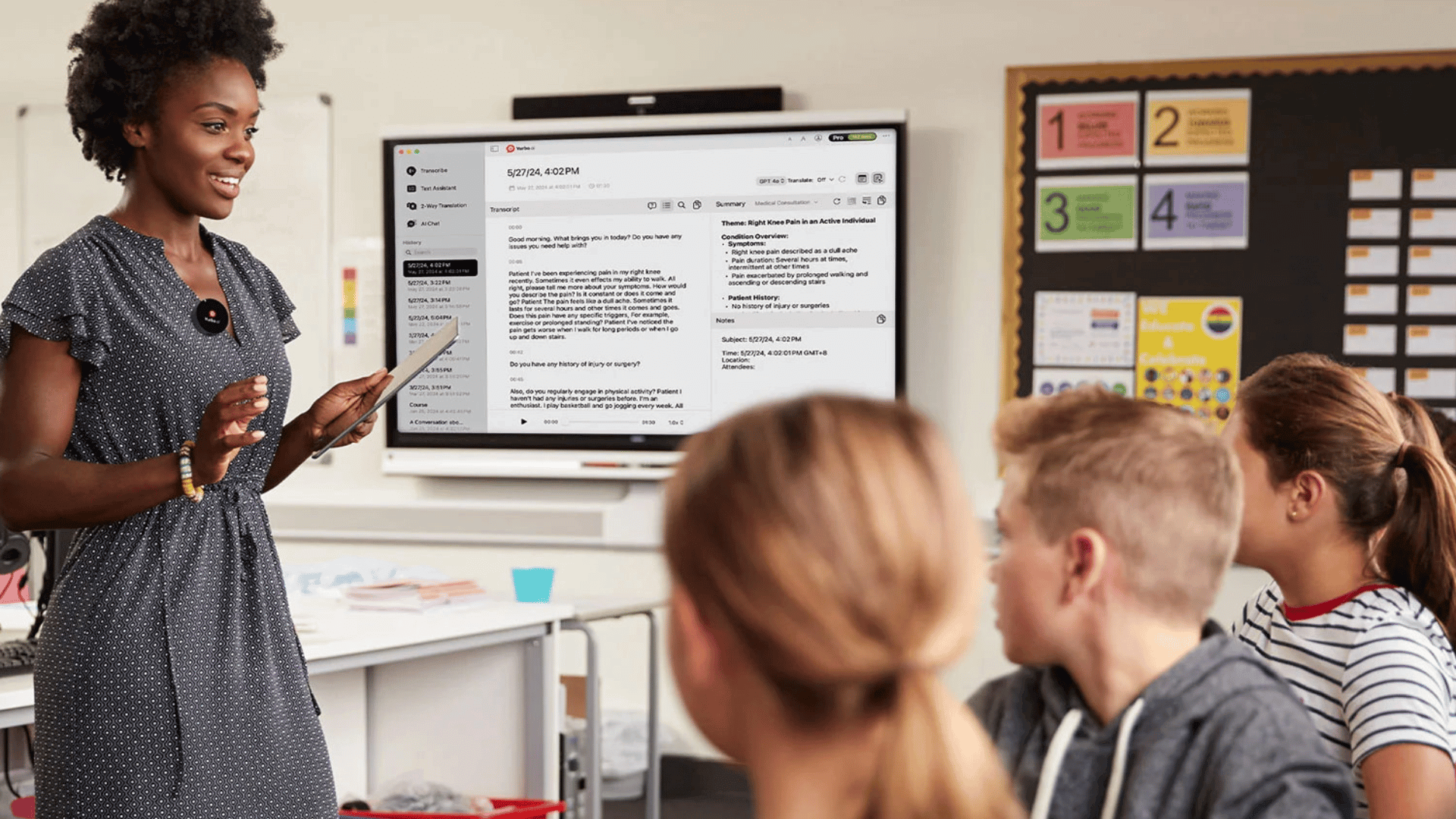
For English language learners working to master academic content while developing English proficiency, Vurbo provides immediate language support that keeps them engaged with grade-level instruction.
You can use the platform during whole-group lessons to provide real-time translations of key concepts, ensuring that ELL students understand critical vocabulary and instructions. This is especially valuable during content-heavy subjects like science, social studies, and math where academic vocabulary can be a significant barrier.
Imagine teaching a math lesson on fractions. As you explain numerators and denominators, an ELL student can use Vurbo to hear the explanation in their primary language simultaneously, building conceptual understanding while also hearing the English terms. They’re not missing instruction—they’re accessing it in a way that supports both content mastery and language development.
2. One-on-One Conferencing and Differentiated Support
During small group work or one-on-one conferencing, you can use Vurbo to check for understanding, clarify complex topics, and provide personalized support without waiting for a translator or relying solely on peer translation.
This real-time access helps close achievement gaps and ensures language barriers don’t prevent students from accessing rigorous academic content. When you’re working with an ELL student to provide feedback on their writing, explain a challenging concept, or assess their understanding, Vurbo removes the communication barrier that often limits these crucial interactions.
If you’ve ever struggled to translate curriculum content for a student in your classroom, or felt frustrated knowing that a student understands the content but can’t express that understanding in English yet, you’ll recognize why a platform like Vurbo is essential.
3. Facilitating Peer Collaboration and Group Work
Modern classrooms increasingly emphasize collaborative learning, but language differences can create barriers to effective group work. You can integrate Vurbo into collaborative projects and peer learning activities, allowing students who speak different primary languages to communicate and work together more effectively.
This is particularly valuable in diverse classrooms where you may have students from multiple language backgrounds working together. By removing language barriers during group discussions, project planning, and peer feedback sessions, Vurbo helps create truly inclusive learning environments where all students can contribute their ideas and learn from one another, regardless of their primary language.
Students can use Vurbo to discuss project ideas, divide tasks, provide feedback to each other, and collaborate authentically—building both academic skills and English proficiency through meaningful interaction.
Works on the Devices You Already Have
One of Vurbo’s most practical features for classroom teachers is that it works on whatever devices your school uses. The platform runs on Chromebooks, iOS devices, and Windows devices.
This means whether your school is a Google Workspace district with 1:1 Chromebooks, has iPads for student use, or uses Windows laptops, Vurbo will work. You don’t need to advocate for new hardware purchases—students can use Vurbo on the devices they already have in their hands.
What Works Well for ELL Support
After testing Vurbo with English language learners in my classroom, here’s what impressed me:
The translation happens fast enough for real instruction. The near-instantaneous translation means students aren’t falling behind while waiting for translations. They can stay engaged with the flow of the lesson.
It supports genuine language development. Because students hear both languages, they’re building English skills while accessing content. It’s not just translation—it’s scaffolded language learning.
100+ languages cover most school populations. From Spanish and Mandarin to less commonly spoken languages like Hmong, Somali, and Tigrinya, Vurbo’s language library addresses the needs of most diverse school communities.
Students can use it independently. Once you set it up, students can use Vurbo on their own devices during instruction without needing constant teacher mediation.
Important Considerations Before You Start
The free plan may not work for full-day classroom use. The basic free plan provides 300 minutes per month with 30-minute session limits. For ongoing classroom use with ELL students throughout the day, you’ll likely need a paid plan or advocate for district-level implementation.
It requires reliable internet. Like any cloud-based tool, Vurbo needs a solid internet connection. In schools with bandwidth issues or during outdoor learning activities, performance may suffer.
It’s a scaffold, not a replacement for language instruction. Vurbo works best as a bridge tool that provides access to content while students are developing English proficiency. It complements, but doesn’t replace, dedicated ELL instruction and support from qualified language specialists.
Consider your MLL specialists as partners. Even though I have been testing out Vurbo in my classroom, it should not and will not replace the relationships I am building with the students’ MLL teachers nor the help they are able to provide the students when they are not in my classroom. The best approach is to use Vurbo as part of a comprehensive support system.
My Bottom Line for ELL Teachers
For classroom teachers working with English language learners, Vurbo offers a practical way to provide immediate language support without pulling students out of grade-level instruction or waiting for translation services. It’s particularly valuable for content-area teachers who may not have specialized ELL training but are committed to making their instruction accessible to all learners.
The platform shines during whole-group instruction where ELL students traditionally struggle to keep up with academic vocabulary and complex explanations. By providing real-time translation, Vurbo ensures these students can access rigorous content while continuing to develop English proficiency.
If you regularly work with English language learners and find yourself wishing you could explain concepts in their primary language during instruction, Vurbo is worth exploring. Start by testing it during a particularly vocabulary-heavy unit or with students who are newcomers to English, and see how it impacts their engagement and understanding.
Next Steps
Ready to support your English language learners with real-time translation?
- Try the free plan first: Visit vurbo.ai and test it with a few ELL students using the free 300 minutes
- Watch classroom demos: See how other teachers use Vurbo with multilingual learners
- Explore pricing for full implementation: Check pricing options if you need unlimited access for daily classroom use
- Learn about new features: Read about Vurbo’s latest updates including enhanced translation modes
- Advocate for district support: Share this resource with your ELL coordinator or administrator if you see value in broader implementation
Read the other posts in this series:
- Part 1: Breaking Language Barriers at Parent-Teacher Conferences (for parent communication)
- Part 3: Vurbo for School Districts – Features, Pricing, and Implementation (coming next – for administrators and decision-makers)
Read the other posts in this series:
Upgrade Your Teaching Toolkit Today
Get weekly EdTech tips, tool tutorials, and podcast highlights delivered to your inbox. Plus, receive a free chapter from my book Impact Standards when you join.
Like this:
Loading…
Discover more from TeacherCast Educational Network | Developing Standards-Based Instructional Technology Integration
Subscribe to get the latest posts sent to your email.
